Circuit
Qwen 3.6 27B MTP GGUF · typescript
Reviews & generation details
Reviews
No human review yet. Unreviewed does not mean unsuccessful.
Generation context
Imported historical artifact. Its exact original instructions and lineage are not known.
Generation prompt · exact text unavailable
See the current prompt for reference. It may differ from the instructions used to generate this artifact.
Inspect original source 64,219 bytes · SHA-256 2dd499e486d5
<!doctype html>
<html lang="en">
<head>
<meta charset="utf-8">
<meta name="viewport" content="width=device-width, initial-scale=1">
<title>Build a Stereo Audio Amplifier — Complete Breadboard Guide</title>
<style>
/* ── css: guide-style ── */
:root {
--bg-primary: #0d1117;
--bg-secondary: #161b22;
--bg-tertiary: #1c2333;
--bg-card: #1a1f2e;
--border: #30363d;
--border-accent: #58a6ff;
--text-primary: #e6edf3;
--text-secondary: #8b949e;
--text-muted: #6e7681;
--accent-blue: #58a6ff;
--accent-green: #3fb950;
--accent-orange: #d29922;
--accent-red: #f85149;
--accent-purple: #bc8cff;
--accent-cyan: #39d2c0;
--font-mono: 'SF Mono', 'Fira Code', 'Cascadia Code', 'Consolas', monospace;
--font-sans: -apple-system, BlinkMacSystemFont, 'Segoe UI', 'Noto Sans', Helvetica, Arial, sans-serif;
}
* { margin: 0; padding: 0; box-sizing: border-box; }
html {
scroll-behavior: smooth;
font-size: 16px;
}
body {
font-family: var(--font-sans);
background: var(--bg-primary);
color: var(--text-primary);
line-height: 1.7;
-webkit-font-smoothing: antialiased;
}
#app {
max-width: 960px;
margin: 0 auto;
padding: 2rem 1.5rem 4rem;
}
/* ===== HEADER ===== */
.hero {
text-align: center;
padding: 3rem 1.5rem 2.5rem;
margin-bottom: 2.5rem;
background: linear-gradient(135deg, #161b22 0%, #1c2333 50%, #1a2332 100%);
border: 1px solid var(--border);
border-radius: 12px;
position: relative;
overflow: hidden;
}
.hero::before {
content: '';
position: absolute;
top: 0; left: 0; right: 0;
height: 3px;
background: linear-gradient(90deg, var(--accent-blue), var(--accent-cyan), var(--accent-purple));
}
.hero-badge {
display: inline-block;
background: rgba(88, 166, 255, 0.12);
color: var(--accent-blue);
font-size: 0.75rem;
font-weight: 600;
letter-spacing: 0.08em;
text-transform: uppercase;
padding: 0.3em 0.9em;
border-radius: 20px;
border: 1px solid rgba(88, 166, 255, 0.25);
margin-bottom: 1.25rem;
}
.hero h1 {
font-size: 2.2rem;
font-weight: 800;
line-height: 1.2;
margin-bottom: 0.75rem;
background: linear-gradient(135deg, #e6edf3, #58a6ff);
-webkit-background-clip: text;
-webkit-text-fill-color: transparent;
background-clip: text;
}
.hero-sub {
font-size: 1.05rem;
color: var(--text-secondary);
max-width: 640px;
margin: 0 auto 1.25rem;
}
.hero-meta {
display: flex;
justify-content: center;
gap: 2rem;
font-size: 0.85rem;
color: var(--text-muted);
flex-wrap: wrap;
}
.hero-meta span {
display: flex;
align-items: center;
gap: 0.35em;
}
/* ===== TABLE OF CONTENTS ===== */
.toc {
background: var(--bg-secondary);
border: 1px solid var(--border);
border-radius: 10px;
padding: 1.5rem 2rem;
margin-bottom: 2.5rem;
}
.toc h2 {
font-size: 0.8rem;
text-transform: uppercase;
letter-spacing: 0.1em;
color: var(--text-muted);
margin-bottom: 0.75rem;
}
.toc ul {
list-style: none;
display: grid;
grid-template-columns: repeat(auto-fit, minmax(200px, 1fr));
gap: 0.35rem 1.5rem;
}
.toc a {
color: var(--accent-blue);
text-decoration: none;
font-size: 0.92rem;
display: flex;
align-items: center;
gap: 0.5em;
padding: 0.25em 0;
transition: color 0.2s;
}
.toc a:hover { color: var(--accent-cyan); }
.toc-num {
color: var(--text-muted);
font-weight: 600;
font-size: 0.8rem;
min-width: 1.2em;
}
/* ===== SECTIONS ===== */
.section {
margin-bottom: 3rem;
}
.section-anchor {
display: block;
position: relative;
top: -2rem;
visibility: hidden;
}
.section h2 {
font-size: 1.55rem;
font-weight: 700;
margin-bottom: 1rem;
padding-bottom: 0.5rem;
border-bottom: 2px solid var(--border);
display: flex;
align-items: center;
gap: 0.6em;
}
.section h2 .icon {
font-size: 1.2em;
}
.section h3 {
font-size: 1.15rem;
font-weight: 600;
margin: 1.5rem 0 0.6rem;
color: var(--text-primary);
}
.section p, .section li {
color: var(--text-secondary);
margin-bottom: 0.6rem;
font-size: 0.95rem;
}
.section ul, .section ol {
padding-left: 1.5rem;
margin-bottom: 1rem;
}
.section li { margin-bottom: 0.35rem; }
/* ===== CARDS ===== */
.card {
background: var(--bg-card);
border: 1px solid var(--border);
border-radius: 10px;
padding: 1.5rem;
margin-bottom: 1.25rem;
}
.card-icon {
font-size: 1.5rem;
margin-bottom: 0.5rem;
display: block;
}
.card h4 {
font-size: 1rem;
font-weight: 600;
margin-bottom: 0.5rem;
color: var(--text-primary);
}
.card p {
font-size: 0.9rem;
color: var(--text-secondary);
margin-bottom: 0;
}
.card-grid {
display: grid;
grid-template-columns: repeat(auto-fit, minmax(240px, 1fr));
gap: 1rem;
margin-bottom: 1.5rem;
}
/* ===== CALL-OUT BOXES ===== */
.callout {
border-radius: 8px;
padding: 1rem 1.25rem;
margin: 1rem 0;
font-size: 0.9rem;
border-left: 3px solid;
}
.callout-warn {
background: rgba(210, 153, 34, 0.08);
border-color: var(--accent-orange);
color: var(--accent-orange);
}
.callout-danger {
background: rgba(248, 81, 73, 0.08);
border-color: var(--accent-red);
color: var(--accent-red);
}
.callout-tip {
background: rgba(63, 185, 80, 0.08);
border-color: var(--accent-green);
color: var(--accent-green);
}
.callout-info {
background: rgba(88, 166, 255, 0.08);
border-color: var(--accent-blue);
color: var(--accent-blue);
}
.callout strong {
font-weight: 700;
}
/* ===== PARTS TABLE ===== */
.parts-table-wrap {
overflow-x: auto;
margin: 1.25rem 0;
border: 1px solid var(--border);
border-radius: 10px;
}
.parts-table {
width: 100%;
border-collapse: collapse;
font-size: 0.88rem;
}
.parts-table thead {
background: var(--bg-tertiary);
}
.parts-table th {
text-align: left;
padding: 0.75rem 1rem;
font-weight: 600;
color: var(--text-secondary);
font-size: 0.78rem;
text-transform: uppercase;
letter-spacing: 0.06em;
border-bottom: 1px solid var(--border);
white-space: nowrap;
}
.parts-table td {
padding: 0.7rem 1rem;
border-bottom: 1px solid var(--border);
vertical-align: top;
}
.parts-table tr:last-child td { border-bottom: none; }
.parts-table tr:hover td {
background: rgba(88, 166, 255, 0.04);
}
.parts-table .qty {
text-align: center;
font-weight: 700;
color: var(--accent-cyan);
min-width: 2.5rem;
}
.parts-table .part-num {
font-family: var(--font-mono);
font-size: 0.82rem;
color: var(--accent-purple);
}
.parts-table .purpose {
color: var(--text-secondary);
font-size: 0.85rem;
}
.section-row td {
background: var(--bg-secondary);
font-weight: 600;
color: var(--text-primary);
font-size: 0.85rem;
letter-spacing: 0.02em;
}
/* ===== SVG DIAGRAMS ===== */
.diagram-container {
background: var(--bg-secondary);
border: 1px solid var(--border);
border-radius: 10px;
padding: 1.5rem;
margin: 1.25rem 0;
overflow-x: auto;
text-align: center;
}
.diagram-label {
font-size: 0.78rem;
font-weight: 600;
text-transform: uppercase;
letter-spacing: 0.06em;
color: var(--text-muted);
margin-bottom: 1rem;
display: flex;
align-items: center;
justify-content: center;
gap: 0.5em;
}
.diagram-label::before,
.diagram-label::after {
content: '';
flex: 1;
max-width: 80px;
height: 1px;
background: var(--border);
}
svg.schematic {
max-width: 100%;
height: auto;
}
/* ===== ASSEMBLY STEPS ===== */
.step {
display: flex;
gap: 1.25rem;
margin-bottom: 1.5rem;
padding: 1.25rem;
background: var(--bg-card);
border: 1px solid var(--border);
border-radius: 10px;
transition: border-color 0.2s;
}
.step:hover {
border-color: var(--accent-blue);
}
.step-num {
flex-shrink: 0;
width: 36px;
height: 36px;
background: linear-gradient(135deg, var(--accent-blue), var(--accent-cyan));
border-radius: 50%;
display: flex;
align-items: center;
justify-content: center;
font-weight: 800;
font-size: 0.85rem;
color: var(--bg-primary);
}
.step-content h4 {
font-size: 1rem;
font-weight: 600;
margin-bottom: 0.35rem;
color: var(--text-primary);
}
.step-content p {
font-size: 0.9rem;
color: var(--text-secondary);
margin-bottom: 0;
}
.step-content code {
font-family: var(--font-mono);
background: rgba(88, 166, 255, 0.1);
color: var(--accent-blue);
padding: 0.15em 0.45em;
border-radius: 4px;
font-size: 0.85em;
}
/* ===== TROUBLESHOOTING TABLE ===== */
.trouble-table {
width: 100%;
border-collapse: collapse;
font-size: 0.88rem;
margin: 1rem 0;
}
.trouble-table th {
text-align: left;
padding: 0.65rem 1rem;
background: var(--bg-tertiary);
font-weight: 600;
font-size: 0.78rem;
text-transform: uppercase;
letter-spacing: 0.06em;
color: var(--text-secondary);
border-bottom: 1px solid var(--border);
}
.trouble-table td {
padding: 0.65rem 1rem;
border-bottom: 1px solid var(--border);
color: var(--text-secondary);
vertical-align: top;
}
.trouble-table tr:hover td {
background: rgba(248, 81, 73, 0.04);
}
.trouble-table .problem {
color: var(--accent-red);
font-weight: 600;
font-size: 0.85rem;
}
/* ===== CODE BLOCK ===== */
.code-block {
background: var(--bg-primary);
border: 1px solid var(--border);
border-radius: 8px;
padding: 1rem 1.25rem;
font-family: var(--font-mono);
font-size: 0.82rem;
color: var(--text-secondary);
overflow-x: auto;
margin: 1rem 0;
line-height: 1.6;
}
/* ===== FOOTER ===== */
.footer {
text-align: center;
padding: 2rem 0;
margin-top: 2rem;
border-top: 1px solid var(--border);
font-size: 0.82rem;
color: var(--text-muted);
}
/* ===== RESPONSIVE ===== */
@media (max-width: 640px) {
#app { padding: 1rem 0.75rem 3rem; }
.hero h1 { font-size: 1.6rem; }
.hero { padding: 2rem 1rem 2rem; }
.step { flex-direction: column; gap: 0.75rem; }
.toc ul { grid-template-columns: 1fr; }
.card-grid { grid-template-columns: 1fr; }
.hero-meta { gap: 1rem; }
}
</style>
</head>
<body>
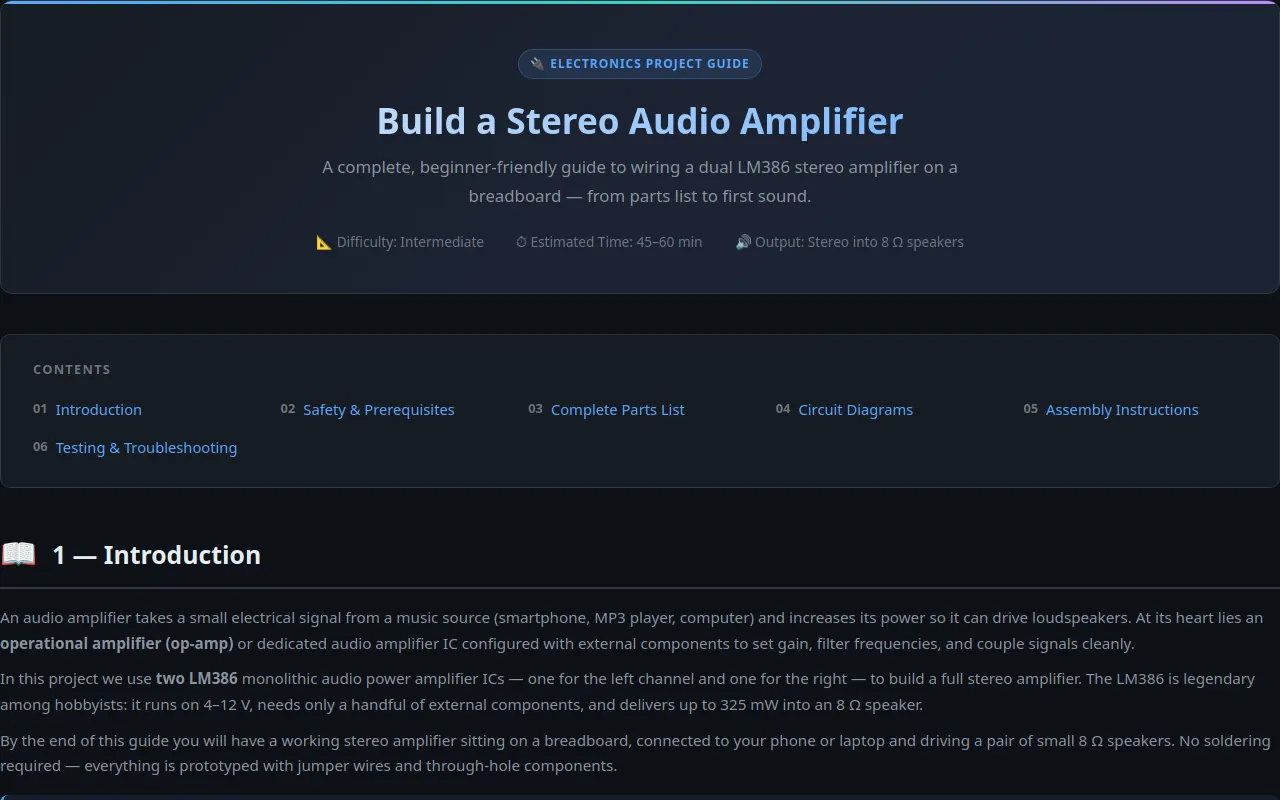
<header class="hero">
<span class="hero-badge">🔌 Electronics Project Guide</span>
<h1>Build a Stereo Audio Amplifier</h1>
<p class="hero-sub">A complete, beginner-friendly guide to wiring a dual LM386 stereo amplifier on a breadboard — from parts list to first sound.</p>
<div class="hero-meta">
<span>📐 Difficulty: Intermediate</span>
<span>⏱ Estimated Time: 45–60 min</span>
<span>🔊 Output: Stereo into 8 Ω speakers</span>
</div>
</header>
<nav class="toc">
<h2>Contents</h2>
<ul>
<li><a href="#intro"><span class="toc-num">01</span> Introduction</a></li>
<li><a href="#safety"><span class="toc-num">02</span> Safety & Prerequisites</a></li>
<li><a href="#parts"><span class="toc-num">03</span> Complete Parts List</a></li>
<li><a href="#diagrams"><span class="toc-num">04</span> Circuit Diagrams</a></li>
<li><a href="#assembly"><span class="toc-num">05</span> Assembly Instructions</a></li>
<li><a href="#troubleshooting"><span class="toc-num">06</span> Testing & Troubleshooting</a></li>
</ul>
</nav>
<main id="content-area"></main>
<footer class="footer">
<p>🔊 Stereo Audio Amplifier Build Guide — LM386 Breadboard Project</p>
<p style="margin-top:0.3rem;">Built for learning. Always observe safe workbench practices.</p>
</footer>
<script>
(function () {
'use strict';
var __mods = {};
var __cache = {};
var __map = {"src/main.ts":{"./content":"src/content.ts","./diagrams":"src/diagrams.ts"}};
function __require(id) {
if (__cache[id]) return __cache[id].exports;
var module = __cache[id] = { exports: {} };
var factory = __mods[id];
if (!factory) throw new Error("Module not found: " + id);
factory(module.exports, function (spec) {
var target = (__map[id] && __map[id][spec]) || spec;
return __require(target);
}, module);
return module.exports;
}
// ── module: src/main.ts ──
__mods["src/main.ts"] = function (exports, require, module) {
"use strict";
Object.defineProperty(exports, "__esModule", { value: true });
const content_1 = require("./content");
const diagrams_1 = require("./diagrams");
const contentArea = document.getElementById('content-area');
// Build the diagrams section HTML
const diagramsSection = `
<section class="section" id="diagrams">
<span class="section-anchor"></span>
<h2><span class="icon">📐</span> 4 — Circuit Diagrams</h2>
<p>Two views are provided: a <strong>schematic diagram</strong> using standard electronic symbols, and a <strong>breadboard layout</strong> showing physical pin placement. Study the schematic first, then use the breadboard view when wiring.</p>
<h3>4.1 — Single-Channel Schematic (One LM386)</h3>
${diagrams_1.schematicSVG}
<h3>4.2 — LM386 Pinout Reference</h3>
${diagrams_1.pinoutSVG}
<h3>4.3 — Breadboard Wiring Diagram (Left Channel)</h3>
${diagrams_1.breadboardSVG}
</section>`;
// Assemble all sections in order
contentArea.innerHTML = content_1.introSection +
content_1.safetySection +
content_1.partsSection +
diagramsSection +
content_1.assemblySection +
content_1.troubleSection;
};
// ── module: src/content.ts ──
__mods["src/content.ts"] = function (exports, require, module) {
"use strict";
// Guide content sections
Object.defineProperty(exports, "__esModule", { value: true });
exports.troubleSection = exports.assemblySection = exports.partsSection = exports.safetySection = exports.introSection = void 0;
exports.introSection = `
<section class="section" id="intro">
<span class="section-anchor"></span>
<h2><span class="icon">📖</span> 1 — Introduction</h2>
<p>
An audio amplifier takes a small electrical signal from a music source (smartphone, MP3 player, computer) and increases its power so it can drive loudspeakers. At its heart lies an <strong>operational amplifier (op-amp)</strong> or dedicated audio amplifier IC configured with external components to set gain, filter frequencies, and couple signals cleanly.
</p>
<p>
In this project we use <strong>two LM386</strong> monolithic audio power amplifier ICs — one for the left channel and one for the right — to build a full stereo amplifier. The LM386 is legendary among hobbyists: it runs on 4–12 V, needs only a handful of external components, and delivers up to 325 mW into an 8 Ω speaker.
</p>
<p>
By the end of this guide you will have a working stereo amplifier sitting on a breadboard, connected to your phone or laptop and driving a pair of small 8 Ω speakers. No soldering required — everything is prototyped with jumper wires and through-hole components.
</p>
<div class="callout callout-info">
<strong>💡 Why the LM386?</strong> It's inexpensive (≈$0.60), widely available, internally frequency-compensated, and requires only two external capacitors to produce audio. The gain is set by a single capacitor between pins 1 and 8 (or left open for ×20 gain).
</div>
<h3>How the LM386 Works (Simplified)</h3>
<p>
The LM386 is a class AB power amplifier in an 8-pin DIP package. Audio enters at pin 3 (non-inverting input). The IC internally amplifies the signal and delivers the output at pin 5, which can drive an 8 Ω speaker. Pins 6 and 7 accept the positive supply (V<sub>CC</sub>) and pin 4 is ground. A bypass capacitor from pin 6 to pin 4 suppresses power-supply ripple.
</p>
<p>
<strong>Gain setting:</strong> A capacitor between pins 1 and 8 adds an internal 150 Ω and external resistor (typically 10 kΩ) in parallel, raising the gain from the default ×20 to approximately ×200. Without this capacitor (or with pins 1–8 shorted), the gain stays at ×20.
</p>
<h3>Circuit Topology Overview</h3>
<p>Both channels share the same topology and the same power rails:</p>
<ol>
<li><strong>Input coupling</strong> — A 10 µF capacitor blocks DC from the audio source.</li>
<li><strong>Gain setting</strong> — A 10 kΩ resistor + 0.1 µF capacitor from pin 1 to pin 8 gives ≈×200 gain.</li>
<li><strong>Volume control</strong> — A 10 kΩ potentiometer between the input cap and pin 3 lets you adjust level.</li>
<li><strong>Output coupling</strong> — A 220 µF capacitor blocks DC from reaching the speaker.</li>
<li><strong>Supply decoupling</strong> — A 20 µF (or 25 µF) capacitor from pin 6 to pin 4 reduces ripple and improves transient response.</li>
<li><strong>Tone shaping</strong> (optional) — A 3.9 Ω resistor + 0.05 µF capacitor from pin 1 to pin 8 rolls off high-frequency gain for better sound.</li>
</ol>
</section>`;
exports.safetySection = `
<section class="section" id="safety">
<span class="section-anchor"></span>
<h2><span class="icon">⚠️</span> 2 — Safety & Prerequisites</h2>
<div class="card-grid">
<div class="card">
<span class="card-icon">🔋</span>
<h4>Low Voltage Only</h4>
<p>This circuit runs at 9 V — well below dangerous levels. Never substitute the supply with mains voltage (110/230 V) directly; that will destroy the IC and could cause serious injury.</p>
</div>
<div class="card">
<span class="card-icon">🧤</span>
<h4>ESD & Static</h4>
<p>Handle the LM386 by its edges. Although it's fairly robust, static discharge can degrade performance over time. A grounded wrist strap is ideal but not mandatory at 9 V.</p>
</div>
<div class="card">
<span class="card-icon">🔥</span>
<h4>Thermal Awareness</h4>
<p>The LM386 can get warm during operation — this is normal. If it becomes too hot to touch, reduce the volume or check for a short circuit. Never cover it while powered.</p>
</div>
<div class="card">
<span class="card-icon">🎧</span>
<h4>Hearing Protection</h4>
<p>Feedback squeals or sudden loud bursts can damage hearing. Start with volume at minimum and increase gradually. Consider using ear protection for the first power-up.</p>
</div>
</div>
<h3>Tools & Materials You'll Need</h3>
<div class="parts-table-wrap">
<table class="parts-table">
<thead>
<tr><th>Item</th><th class="qty">Qty</th><th>Purpose</th></tr>
</thead>
<tbody>
<tr><td>Breadboard (full-size, 830 points minimum)</td><td class="qty">1</td><td class="purpose">Prototyping platform — no soldering needed</td></tr>
<tr><td>Multimeter</td><td class="qty">1</td><td class="purpose">Verify voltages, check continuity, measure speaker resistance</td></tr>
<tr><td>Wire cutters / strippers</td><td class="qty">1 set</td><td class="purpose">Trim and prepare jumper wires</td></tr>
<tr><td>Audio source (phone, laptop, MP3 player)</td><td class="qty">1</td><td class="purpose">Provides the stereo line-level signal via 3.5 mm jack</td></tr>
<tr><td>3.5 mm stereo audio cable</td><td class="qty">1</td><td class="purpose">Carries L/R channels to the breadboard</td></tr>
<tr><td>Small screwdrivers (optional)</td><td class="qty">1</td><td class="purpose">Tighten binding posts or speaker terminals if applicable</td></tr>
</tbody>
</table>
</div>
<h3>Knowledge Assumed</h3>
<ul>
<li>Basic understanding of voltage, current, and resistance</li>
<li>Ability to read a schematic (or willingness to follow the breadboard diagram carefully)</li>
<li>Knowing which side is the "front" of a polarized capacitor (the longer leg is positive)</li>
<li>Familiarity with a breadboard's internal connectivity (rows vs. power rails)</li>
</ul>
<div class="callout callout-danger">
<strong>🚨 Critical rule:</strong> Always double-check every connection — especially polarity on electrolytic capacitors and the IC orientation — before applying power. A single reversed electrolytic can vent, leak, or pop.
</div>
</section>`;
exports.partsSection = `
<section class="section" id="parts">
<span class="section-anchor"></span>
<h2><span class="icon">📦</span> 3 — Complete Parts List</h2>
<p>Below is the full bill of materials for the dual-channel stereo amplifier. All components are through-hole, breadboard-friendly, and available from any electronics supplier (Adafruit, SparkFun, DigiKey, Mouser, Amazon, etc.).</p>
<div class="parts-table-wrap">
<table class="parts-table">
<thead>
<tr><th>Component</th><th class="qty">Qty</th><th>Purpose / Notes</th></tr>
</thead>
<tbody>
<tr class="section-row"><td colspan="3">🔲 Integrated Circuits</td></tr>
<tr>
<td><strong>LM386</strong> <span class="part-num">LM386N-1</span></td>
<td class="qty">2</td>
<td class="purpose">Monolithic low-voltage audio power amp IC. One per stereo channel. 8-pin DIP package.</td>
</tr>
<tr class="section-row"><td colspan="3">🔵 Capacitors — Electrolytic (Polarized)</td></tr>
<tr>
<td><strong>220 µF, 25 V</strong> <span class="part-num">ECE-J2EA221</span></td>
<td class="qty">2</td>
<td class="purpose">Output coupling capacitors — block DC from the speakers. Long leg = positive.</td>
</tr>
<tr>
<td><strong>10 µF, 16 V</strong> <span class="part-num">ECE-J1CA100</span></td>
<td class="qty">2</td>
<td class="purpose">Input coupling capacitors — block DC from the audio source.</td>
</tr>
<tr>
<td><strong>20 µF, 25 V</strong> <span class="part-num">ECE-J2EA201</span></td>
<td class="qty">2</td>
<td class="purpose">Supply decoupling — pins 6→4 on each LM386. Reduces power-supply ripple.</td>
</tr>
<tr class="section-row"><td colspan="3">🟤 Capacitors — Ceramic (Non-polarized)</td></tr>
<tr>
<td><strong>0.1 µF (104)</strong> <span class="part-num">CC0402KRX7R9BB104</span></td>
<td class="qty">2</td>
<td class="purpose">Gain-setting capacitor from pin 1 to pin 8. Non-polarized.</td>
</tr>
<tr class="section-row"><td colspan="3">🟠 Resistors (¼ W, 5 %)</td></tr>
<tr>
<td><strong>10 kΩ</strong> <span class="part-num">CFR-25JB-103</span></td>
<td class="qty">2</td>
<td class="purpose">Gain-setting resistor in parallel with the 0.1 µF cap (pins 1→8).</td>
</tr>
<tr>
<td><strong>10 kΩ potentiometer</strong> <span class="part-num">3296W-1-103</span></td>
<td class="qty">2</td>
<td class="purpose">Volume control for each channel. Linear taper. Wiper goes to LM386 pin 3.</td>
</tr>
<tr>
<td><strong>3.9 Ω</strong> <span class="part-num">CFR-25JB-390</span></td>
<td class="qty">2</td>
<td class="purpose">Optional — combined with 0.05 µF cap for Zobel network / HF roll-off.</td>
</tr>
<tr class="section-row"><td colspan="3">🔌 Connectors & Hardware</td></tr>
<tr>
<td><strong>8 Ω speaker</strong> <span class="part-num">SPKR-8OHM-3W</span></td>
<td class="qty">2</td>
<td class="purpose">Output transducer. ≥3 W rating recommended. Full-range or bookshelf.</td>
</tr>
<tr>
<td><strong>3.5 mm stereo TRS audio jack</strong> <span class="part-num">PJ-063A</span></td>
<td class="qty">1</td>
<td class="purpose">Accepts audio input from source. Tip = left, Ring = right, Sleeve = ground.</td>
</tr>
<tr>
<td><strong>9 V battery clip with 2.1 mm barrel jack</strong> <span class="part-num">CONN-9V-CLIP</span></td>
<td class="qty">1</td>
<td class="purpose">Power supply. PP3 snap connector wired to a barrel jack for easy plug/unplug.</td>
</tr>
<tr>
<td><strong>Male-male jumper wires (assorted colors)</strong></td>
<td class="qty">~50</td>
<td class="purpose">All breadboard connections. Use red = +V, black = GND, other colors = signals.</td>
</tr>
<tr>
<td><strong>Full-size breadboard</strong> <span class="part-num">SNGB-830</span></td>
<td class="qty">1</td>
<td class="purpose">830-point breadboard. Each channel uses ~40 rows.</td>
</tr>
</tbody>
</table>
</div>
</section>`;
exports.assemblySection = `
<section class="section" id="assembly">
<span class="section-anchor"></span>
<h2><span class="icon">🔧</span> 5 — Step-by-Step Assembly</h2>
<p>Follow these steps in order. <strong>Do not apply power until Step 11</strong>. Each step corresponds to the Left (L) channel first, then you replicate for the Right (R) channel.</p>
<div class="step">
<div class="step-num">1</div>
<div class="step-content">
<h4>Place the LM386 ICs</h4>
<p>Insert each LM386 into the breadboard so the <strong>semicircular notch</strong> (pin 1 indicator) faces the same direction. Position the first IC so pin 1 is at row R5, columns D/E. The second IC goes 10 rows down (pin 1 at R15). The notch should be on the <em>top</em> of the chip, with pins 1–4 on the left and pins 5–8 on the right (top-down view).</p>
</div>
</div>
<div class="step">
<div class="step-num">2</div>
<div class="step-content">
<h4>Establish the Power Rails</h4>
<p>Connect <strong>+9 V</strong> to the top red power rail of the breadboard using a jumper from your 9 V source. Connect <strong>ground</strong> to the bottom blue rail. These rails run the full length of the board and power every component.</p>
<p>Run two jumper wires: +9 V rail → pin 6 of each LM386. And +9 V rail → pin 7 of each LM386. This gives each IC its supply voltage.</p>
</div>
</div>
<div class="step">
<div class="step-num">3</div>
<div class="step-content">
<h4>Connect Ground</h4>
<p>Run two jumper wires from the <strong>blue GND rail</strong> to <strong>pin 2</strong> (inverting input, tied to ground) and <strong>pin 4</strong> (ground) of <em>each</em> LM386. These four connections ensure a solid reference.</p>
</div>
</div>
<div class="step">
<div class="step-num">4</div>
<div class="step-content">
<h4>Add Supply Decoupling (20 µF)</h4>
<p>For each channel, place a <strong>20 µF electrolytic capacitor</strong> between <strong>pin 6</strong> (V<sub>CC</sub>) and <strong>pin 4</strong> (GND) of the LM386. The <em>long leg (positive)</em> goes to pin 6, and the short leg (negative) goes to pin 4. This dramatically reduces power-supply noise and transient distortion.</p>
</div>
</div>
<div class="step">
<div class="step-num">5</div>
<div class="step-content">
<h4>Set the Gain (10 kΩ + 0.1 µF)</h4>
<p>For each channel, connect a <strong>10 kΩ resistor</strong> between <strong>pin 1</strong> and <strong>pin 8</strong> of the LM386. In parallel, connect a <strong>0.1 µF ceramic capacitor</strong> (non-polarized) also between pins 1 and 8. This sets the gain to approximately <strong>×200</strong>. Without this network, gain defaults to ×20 (quiet but cleaner).</p>
</div>
</div>
<div class="step">
<div class="step-num">6</div>
<div class="step-content">
<h4>Add Optional Zobel Network (3.9 Ω + 0.05 µF)</h4>
<p>For better stability with inductive loads (speakers), connect a <strong>3.9 Ω resistor</strong> in series with a <strong>0.05 µF ceramic capacitor</strong> between <strong>pin 1</strong> and <strong>pin 8</strong> — in parallel with the existing gain network. This rolls off high-frequency gain and prevents oscillation. You can skip this step; the circuit works fine without it.</p>
</div>
</div>
<div class="step">
<div class="step-num">7</div>
<div class="step-content">
<h4>Wire the Audio Input</h4>
<p>Cut a 3.5 mm stereo audio cable. Strip the jacket to reveal three conductors: <strong>tip (left channel)</strong>, <strong>ring (right channel)</strong>, and <strong>sleeve (ground)</strong>.</p>
<p>Connect the <strong>tip</strong> conductor to one end of a <strong>10 µF input coupling capacitor</strong> for the left channel. The other end of the capacitor goes to the left channel's potentiometer. Repeat with the <strong>ring</strong> conductor and a second 10 µF cap for the right channel.</p>
<p>Connect the <strong>sleeve</strong> to the <strong>GND rail</strong>.</p>
</div>
</div>
<div class="step">
<div class="step-num">8</div>
<div class="step-content">
<h4>Install Volume Potentiometers (10 kΩ)</h4>
<p>Each <strong>10 kΩ potentiometer</strong> has 3 terminals. Wire them as an audio volume control:</p>
<ul>
<li><strong>Terminal 1</strong>: Connect to the output side of the 10 µF input capacitor (from Step 7).</li>
<li><strong>Terminal 2 (wiper)</strong>: Connect to <strong>pin 3</strong> (signal input) of the LM386.</li>
<li><strong>Terminal 3</strong>: Connect to <strong>ground rail</strong>.</li>
</ul>
<p>Both channels get their own independent volume control. Turn both pots fully counter-clockwise (minimum) before powering up.</p>
</div>
</div>
<div class="step">
<div class="step-num">9</div>
<div class="step-content">
<h4>Connect Output Coupling Capacitors (220 µF)</h4>
<p>For each channel, connect a <strong>220 µF electrolytic capacitor</strong> from <strong>pin 5</strong> (output) to a spare breadboard row. The <em>long (positive) leg</em> goes to pin 5. The <em>short (negative) leg</em> will connect to the speaker's positive terminal. This capacitor blocks DC from reaching your speaker while passing the amplified audio signal.</p>
</div>
</div>
<div class="step">
<div class="step-num">10</div>
<div class="step-content">
<h4>Attach the Speakers</h4>
<p>Connect the <strong>positive</strong> terminal of each 8 Ω speaker to the <em>negative</em> leg of its respective 220 µF output capacitor. Connect the <strong>negative</strong> terminal of each speaker to the <strong>GND rail</strong>. You now have a complete signal path: audio source → input cap → volume pot → LM386 → output cap → speaker → ground.</p>
</div>
</div>
<div class="step">
<div class="step-num">11</div>
<div class="step-content">
<h4>Pre-Power Inspection</h4>
<p><strong>Before applying power, verify every connection:</strong></p>
<ul>
<li>Both LM386 ICs: notch orientation correct, pins seated firmly.</li>
<li>All electrolytic capacitors: polarity matches the diagram (long leg = positive).</li>
<li>+9 V connected to pins 6 & 7 only — not pin 4 or 2.</li>
<li>Ground connected to pins 2 & 4 only.</li>
<li>Volume pots at minimum (wiper toward GND side).</li>
<li>No jumper wires bridging +V to GND.</li>
</ul>
<p>Use your multimeter in continuity mode to check for shorts between +V rail and GND rail. You should hear <em>no beep</em> (infinite resistance).</p>
</div>
</div>
<div class="step">
<div class="step-num">12</div>
<div class="step-content">
<h4>Power Up & Test</h4>
<p>Connect your 9 V battery (or bench supply) to the barrel jack. Slowly increase the volume on <em>one channel at a time</em>. Play an audio track from your source. You should hear amplified music from both speakers.</p>
<p>If you hear a hum or buzz, check your ground connections — this usually means a loose ground wire or a cold solder joint (if soldered). If the IC gets very hot, reduce the volume and recheck the gain network.</p>
<p>Congratulations — you've built a working stereo amplifier! 🎉</p>
</div>
</div>
</section>`;
exports.troubleSection = `
<section class="section" id="troubleshooting">
<span class="section-anchor"></span>
<h2><span class="icon">🔍</span> 6 — Testing & Troubleshooting</h2>
<p>Even experienced builders make mistakes on the first pass. Below are the most common problems, their causes, and how to fix them.</p>
<div class="parts-table-wrap">
<table class="trouble-table">
<thead>
<tr><th>Problem</th><th>Probable Cause</th><th>Solution</th></tr>
</thead>
<tbody>
<tr>
<td class="problem">No sound from either speaker</td>
<td>Volume pots at minimum, audio source muted, or dead battery</td>
<td>Turn up volume, check source plays through headphones, verify battery is fresh (≥8.5 V)</td>
</tr>
<tr>
<td class="problem">No sound, but IC is warm</td>
<td>LM386 IC inserted backwards (notch on wrong side)</td>
<td>Remove power, flip the IC 180° so the notch faces the correct direction</td>
</tr>
<tr>
<td class="problem">Loud buzzing / humming</td>
<td>Ground loop or loose ground connections; or breadboard rails not connected</td>
<td>Reseat all ground jumper wires. Ensure both channels share the same ground rail. Use shorter ground wires</td>
</tr>
<tr>
<td class="problem">IC becomes very hot quickly</td>
<td>Output shorted to supply, or reversed polarity on output capacitor causing damage</td>
<td>Disconnect power immediately. Check that the 220 µF output cap has the correct polarity. Verify pin 5 is not accidentally bridged to +V</td>
</tr>
<tr>
<td class="problem">Sound from only one channel</td>
<td>Missing or broken audio cable connection for one channel</td>
<td>Verify the stereo jack tip and ring are both connected. Test with a known-good audio cable. Check both input capacitors</td>
</tr>
<tr>
<td class="problem">Distorted / clipped sound at low volume</td>
<td>Gain too high (×200 with hot input), or power supply voltage too low</td>
<td>Remove the 0.1 µF gain capacitor (keeps 10 kΩ only for ~×200 DC gain). Or remove both gain components for ×20 gain. Verify supply reads ≥8.5 V under load</td>
</tr>
<tr>
<td class="problem">High-pitched squeal / feedback</td>
<td>Acoustic feedback from speaker to mic, or oscillation due to missing Zobel network</td>
<td>Move speakers away from the audio source. Add the 3.9 Ω + 0.05 µF Zobel network between pins 1–8. Ensure supply decoupling cap is installed</td>
</tr>
<tr>
<td class="problem">Capacitor bulging or leaking</td>
<td>Electrolytic capacitor inserted with reversed polarity</td>
<td>Remove power immediately. Replace the damaged capacitor. Ensure the long leg (+) always connects to the higher potential point</td>
</tr>
<tr>
<td class="problem">Intermittent sound / crackling</td>
<td>Loose potentiometer wiper, or jumper wire not fully seated in breadboard</td>
<td>Spray contacts with electronic contact cleaner. Reseat all jumper wires firmly. Try a different potentiometer</td>
</tr>
</tbody>
</table>
</div>
<h3>Safe Testing Procedure</h3>
<div class="callout callout-tip">
<strong>✅ Always follow this sequence when powering up:</strong>
</div>
<ol>
<li><strong>Disconnect speakers</strong> — Power up first with speakers unplugged to avoid accidental high volume.</li>
<li><strong>Measure pin voltages</strong> — With a multimeter, verify: pin 6 ≈ 9 V, pin 4 ≈ 0 V, pin 5 ≈ 4.5 V (half-rail quiescent). If pin 5 reads 0 V or 9 V, there's a problem.</li>
<li><strong>Inject a test tone</strong> — Play a low-volume 1 kHz sine wave from your phone. Slowly increase volume on the pot while monitoring with speakers still disconnected.</li>
<li><strong>Connect speakers at low volume</strong> — Attach the speaker leads while volume is at minimum, then slowly turn up.</li>
<li><strong>Monitor temperature</strong> — Touch the IC after 30 seconds of operation. Warm = normal. Hot = investigate.</li>
</ol>
<h3>Multimeter Quick-Reference Measurements</h3>
<div class="code-block">
<span style="color:#8b949e;">// Expected voltages at LM386 pins (+9 V supply, no signal):</span>
Pin 1 (Gain +) → ~1.0 V (reference voltage)
Pin 2 (In −) → 0.0 V (tied to GND)
Pin 3 (In +) → ~1.0 V (follows pin 1 via pot)
Pin 4 (GND) → 0.0 V
Pin 5 (Output) → ~4.5 V (half of Vcc, quiescent)
Pin 6 (Vcc) → ~9.0 V
Pin 7 (Vcc) → ~9.0 V
Pin 8 (Gain −) → ~9.0 V
<span style="color:#8b949e;">// If pin 5 ≈ 0 V or ≈ 9 V → IC is damaged or inserted wrong.</span>
<span style="color:#8b949e;">// If pin 6 & 7 ≈ 0 V → check power supply and rail connections.</span>
</div>
<div class="callout callout-warn">
<strong>⚡ Tip:</strong> If you plan to use this amplifier regularly, consider moving it to a perforated board (Vero board) or designing a simple PCB. Breadboard connections can work loose with vibration from the speakers.
</div>
</section>`;
};
// ── module: src/diagrams.ts ──
__mods["src/diagrams.ts"] = function (exports, require, module) {
"use strict";
// SVG Circuit Diagrams
Object.defineProperty(exports, "__esModule", { value: true });
exports.breadboardSVG = exports.pinoutSVG = exports.schematicSVG = void 0;
exports.schematicSVG = `
<div class="diagram-container">
<div class="diagram-label">Schematic — One LM386 Channel</div>
<svg class="schematic" viewBox="0 0 860 520" xmlns="http://www.w3.org/2000/svg" width="860" height="520">
<defs>
<pattern id="grid" width="20" height="20" patternUnits="userSpaceOnUse">
<circle cx="10" cy="10" r="0.5" fill="#30363d"/>
</pattern>
</defs>
<rect width="860" height="520" fill="url(#grid)" opacity="0.5"/>
<!-- LM386 IC body -->
<rect x="320" y="120" width="120" height="280" rx="8" fill="#1a1f2e" stroke="#58a6ff" stroke-width="2"/>
<text x="380" y="160" text-anchor="middle" fill="#58a6ff" font-size="16" font-weight="700" font-family="sans-serif">LM386</text>
<text x="380" y="178" text-anchor="middle" fill="#8b949e" font-size="10" font-family="sans-serif">Audio Power Amp</text>
<circle cx="380" cy="120" r="8" fill="#161b22" stroke="#58a6ff" stroke-width="1.5"/>
<!-- Left pins -->
<line x1="320" y1="175" x2="220" y2="175" stroke="#f85149" stroke-width="1.5"/>
<text x="245" y="169" text-anchor="middle" fill="#e6edf3" font-size="10" font-family="sans-serif">Pin 2 (In −)</text>
<!-- Ground from pin 2 -->
<line x1="220" y1="175" x2="195" y2="175" stroke="#8b949e" stroke-width="1.5"/>
<line x1="180" y1="168" x2="210" y2="168" stroke="#8b949e" stroke-width="1.5"/>
<line x1="185" y1="178" x2="205" y2="178" stroke="#8b949e" stroke-width="1.5"/>
<line x1="190" y1="186" x2="200" y2="186" stroke="#8b949e" stroke-width="1.5"/>
<line x1="320" y1="220" x2="195" y2="220" stroke="#58a6ff" stroke-width="1.5"/>
<text x="260" y="214" text-anchor="middle" fill="#e6edf3" font-size="10" font-family="sans-serif">Pin 3 (In +)</text>
<line x1="320" y1="350" x2="195" y2="350" stroke="#f85149" stroke-width="1.5"/>
<text x="260" y="344" text-anchor="middle" fill="#e6edf3" font-size="10" font-family="sans-serif">Pin 4 (GND)</text>
<line x1="195" y1="350" x2="170" y2="350" stroke="#8b949e" stroke-width="1.5"/>
<line x1="155" y1="343" x2="185" y2="343" stroke="#8b949e" stroke-width="1.5"/>
<line x1="160" y1="353" x2="180" y2="353" stroke="#8b949e" stroke-width="1.5"/>
<line x1="165" y1="361" x2="175" y2="361" stroke="#8b949e" stroke-width="1.5"/>
<!-- Right pins -->
<line x1="440" y1="175" x2="560" y2="175" stroke="#3fb950" stroke-width="1.5"/>
<text x="500" y="169" text-anchor="middle" fill="#e6edf3" font-size="10" font-family="sans-serif">Pin 5 (Out)</text>
<line x1="440" y1="220" x2="560" y2="220" stroke="#d29922" stroke-width="1.5"/>
<text x="500" y="214" text-anchor="middle" fill="#e6edf3" font-size="10" font-family="sans-serif">Pin 6 (Vcc)</text>
<line x1="440" y1="350" x2="560" y2="350" stroke="#d29922" stroke-width="1.5"/>
<text x="500" y="344" text-anchor="middle" fill="#e6edf3" font-size="10" font-family="sans-serif">Pin 7 (Vcc)</text>
<line x1="440" y1="395" x2="560" y2="395" stroke="#bc8cff" stroke-width="1.5"/>
<text x="500" y="389" text-anchor="middle" fill="#e6edf3" font-size="10" font-family="sans-serif">Pin 8 (Gain)</text>
<!-- Pin numbers on IC -->
<text x="314" y="179" text-anchor="end" fill="#f85149" font-size="9" font-weight="600" font-family="sans-serif">2</text>
<text x="314" y="224" text-anchor="end" fill="#58a6ff" font-size="9" font-weight="600" font-family="sans-serif">3</text>
<text x="314" y="354" text-anchor="end" fill="#f85149" font-size="9" font-weight="600" font-family="sans-serif">4</text>
<text x="446" y="179" fill="#3fb950" font-size="9" font-weight="600" font-family="sans-serif">5</text>
<text x="446" y="224" fill="#d29922" font-size="9" font-weight="600" font-family="sans-serif">6</text>
<text x="446" y="354" fill="#d29922" font-size="9" font-weight="600" font-family="sans-serif">7</text>
<text x="446" y="399" fill="#bc8cff" font-size="9" font-weight="600" font-family="sans-serif">8</text>
<!-- Pin 1 -->
<line x1="320" y1="197" x2="290" y2="197" stroke="#bc8cff" stroke-width="1.5"/>
<text x="314" y="201" text-anchor="end" fill="#bc8cff" font-size="9" font-weight="600" font-family="sans-serif">1</text>
<text x="284" y="192" text-anchor="end" fill="#e6edf3" font-size="9" font-family="sans-serif">Pin 1 (Gain)</text>
<!-- Audio input -->
<circle cx="70" cy="220" r="16" fill="none" stroke="#58a6ff" stroke-width="1.5"/>
<text x="70" y="225" text-anchor="middle" fill="#58a6ff" font-size="12" font-family="sans-serif">♪</text>
<text x="70" y="248" text-anchor="middle" fill="#8b949e" font-size="9" font-family="sans-serif">Audio</text>
<text x="70" y="259" text-anchor="middle" fill="#8b949e" font-size="9" font-family="sans-serif">Input</text>
<line x1="86" y1="220" x2="120" y2="220" stroke="#58a6ff" stroke-width="1.5"/>
<!-- Input coupling cap 10µF -->
<line x1="120" y1="220" x2="140" y2="220" stroke="#58a6ff" stroke-width="1.5"/>
<line x1="140" y1="205" x2="140" y2="235" stroke="#58a6ff" stroke-width="2.5"/>
<line x1="150" y1="205" x2="150" y2="235" stroke="#58a6ff" stroke-width="2.5"/>
<line x1="150" y1="220" x2="170" y2="220" stroke="#58a6ff" stroke-width="1.5"/>
<text x="145" y="197" text-anchor="middle" fill="#58a6ff" font-size="10" font-weight="600" font-family="sans-serif">C_in</text>
<text x="145" y="248" text-anchor="middle" fill="#8b949e" font-size="9" font-family="sans-serif">10 µF</text>
<!-- Volume pot 10k -->
<line x1="170" y1="220" x2="190" y2="220" stroke="#bc8cff" stroke-width="1.5"/>
<rect x="190" y="208" width="36" height="24" rx="3" fill="none" stroke="#bc8cff" stroke-width="1.5"/>
<line x1="208" y1="208" x2="208" y2="192" stroke="#bc8cff" stroke-width="1.5"/>
<polygon points="203,192 213,192 208,180" fill="#bc8cff"/>
<text x="208" y="174" text-anchor="middle" fill="#bc8cff" font-size="9" font-weight="600" font-family="sans-serif">VOL</text>
<text x="208" y="248" text-anchor="middle" fill="#8b949e" font-size="9" font-family="sans-serif">10 kΩ</text>
<line x1="208" y1="192" x2="230" y2="192" stroke="#bc8cff" stroke-width="1.5"/>
<line x1="230" y1="192" x2="230" y2="220" stroke="#bc8cff" stroke-width="1.5"/>
<!-- Gain network: 10k + 0.1µF pins 1 to 8 -->
<line x1="560" y1="395" x2="560" y2="465" stroke="#bc8cff" stroke-width="1.5"/>
<rect x="548" y="465" width="24" height="14" rx="2" fill="none" stroke="#bc8cff" stroke-width="1.5"/>
<text x="578" y="477" fill="#8b949e" font-size="9" font-family="sans-serif">10kΩ</text>
<line x1="560" y1="479" x2="560" y2="492" stroke="#bc8cff" stroke-width="1.5"/>
<line x1="560" y1="492" x2="290" y2="492" stroke="#bc8cff" stroke-width="1.5"/>
<line x1="290" y1="492" x2="290" y2="197" stroke="#bc8cff" stroke-width="1.5"/>
<line x1="590" y1="395" x2="590" y2="465" stroke="#58a6ff" stroke-width="1.5"/>
<line x1="584" y1="465" x2="596" y2="465" stroke="#58a6ff" stroke-width="2"/>
<line x1="584" y1="475" x2="596" y2="475" stroke="#58a6ff" stroke-width="2"/>
<line x1="590" y1="475" x2="590" y2="492" stroke="#58a6ff" stroke-width="1.5"/>
<line x1="590" y1="492" x2="305" y2="492" stroke="#58a6ff" stroke-width="1.5"/>
<line x1="305" y1="492" x2="305" y2="197" stroke="#58a6ff" stroke-width="1.5"/>
<text x="600" y="478" fill="#8b949e" font-size="9" font-family="sans-serif">0.1µF</text>
<!-- Zobel: 3.9Ω + 0.05µF -->
<line x1="590" y1="395" x2="625" y2="395" stroke="#39d2c0" stroke-width="1.5"/>
<rect x="625" y="390" width="22" height="10" rx="2" fill="none" stroke="#39d2c0" stroke-width="1.5"/>
<text x="636" y="410" text-anchor="middle" fill="#8b949e" font-size="8" font-family="sans-serif">3.9Ω</text>
<line x1="647" y1="395" x2="670" y2="395" stroke="#39d2c0" stroke-width="1.5"/>
<line x1="670" y1="390" x2="670" y2="400" stroke="#39d2c0" stroke-width="1.5"/>
<line x1="675" y1="390" x2="675" y2="400" stroke="#39d2c0" stroke-width="1.5"/>
<text x="672" y="383" text-anchor="middle" fill="#8b949e" font-size="8" font-family="sans-serif">0.05µF</text>
<!-- Output coupling cap 220µF -->
<line x1="560" y1="175" x2="605" y2="175" stroke="#3fb950" stroke-width="1.5"/>
<line x1="605" y1="160" x2="605" y2="190" stroke="#3fb950" stroke-width="2.5"/>
<line x1="615" y1="160" x2="615" y2="190" stroke="#3fb950" stroke-width="2.5"/>
<line x1="615" y1="175" x2="650" y2="175" stroke="#3fb950" stroke-width="1.5"/>
<text x="610" y="152" text-anchor="middle" fill="#3fb950" font-size="10" font-weight="600" font-family="sans-serif">C_out</text>
<text x="610" y="205" text-anchor="middle" fill="#8b949e" font-size="9" font-family="sans-serif">220 µF</text>
<!-- Speaker symbol -->
<line x1="650" y1="175" x2="700" y2="175" stroke="#3fb950" stroke-width="1.5"/>
<polygon points="700,162 718,150 718,200 700,188" fill="none" stroke="#3fb950" stroke-width="1.5"/>
<line x1="718" y1="150" x2="718" y2="200" stroke="#3fb950" stroke-width="1.5"/>
<text x="730" y="179" fill="#e6edf3" font-size="12" font-weight="600" font-family="sans-serif">Speaker</text>
<text x="730" y="194" fill="#8b949e" font-size="10" font-family="sans-serif">8 Ω</text>
<!-- Speaker return to GND -->
<line x1="700" y1="188" x2="700" y2="370" stroke="#8b949e" stroke-width="1"/>
<line x1="700" y1="370" x2="560" y2="370" stroke="#8b949e" stroke-width="1"/>
<line x1="700" y1="370" x2="700" y2="395" stroke="#8b949e" stroke-width="1.5"/>
<line x1="685" y1="386" x2="715" y2="386" stroke="#8b949e" stroke-width="1.5"/>
<line x1="690" y1="394" x2="710" y2="394" stroke="#8b949e" stroke-width="1.5"/>
<line x1="695" y1="401" x2="705" y2="401" stroke="#8b949e" stroke-width="1.5"/>
<!-- Vcc -->
<line x1="560" y1="220" x2="560" y2="95" stroke="#d29922" stroke-width="1.5"/>
<line x1="540" y1="95" x2="580" y2="95" stroke="#d29922" stroke-width="2.5"/>
<text x="560" y="86" text-anchor="middle" fill="#d29922" font-size="14" font-weight="700" font-family="sans-serif">+9 V</text>
<text x="560" y="74" text-anchor="middle" fill="#8b949e" font-size="10" font-family="sans-serif">Vcc</text>
<!-- Decoupling cap 20µF pin6 to pin4 -->
<line x1="560" y1="220" x2="560" y2="300" stroke="#d29922" stroke-width="1"/>
<line x1="560" y1="300" x2="490" y2="300" stroke="#d29922" stroke-width="1"/>
<line x1="490" y1="300" x2="490" y2="320" stroke="#d29922" stroke-width="1.5"/>
<line x1="485" y1="320" x2="495" y2="320" stroke="#d29922" stroke-width="2"/>
<line x1="485" y1="332" x2="495" y2="332" stroke="#d29922" stroke-width="2"/>
<line x1="490" y1="332" x2="490" y2="350" stroke="#d29922" stroke-width="1.5"/>
<line x1="490" y1="350" x2="560" y2="350" stroke="#d29922" stroke-width="1"/>
<text x="502" y="336" fill="#8b949e" font-size="9" font-family="sans-serif">20 µF</text>
<!-- Ground bus -->
<line x1="60" y1="430" x2="820" y2="430" stroke="#f85149" stroke-width="2"/>
<text x="815" y="426" text-anchor="end" fill="#f85149" font-size="11" font-weight="600" font-family="sans-serif">GND (0 V)</text>
<!-- Connect grounds to bus -->
<line x1="195" y1="361" x2="195" y2="430" stroke="#f85149" stroke-width="1"/>
<line x1="700" y1="401" x2="700" y2="430" stroke="#f85149" stroke-width="1"/>
<line x1="490" y1="350" x2="490" y2="430" stroke="#f85149" stroke-width="1"/>
<!-- Color key -->
<rect x="10" y="465" width="840" height="45" rx="6" fill="rgba(88,166,255,0.06)" stroke="rgba(88,166,255,0.2)" stroke-width="1"/>
<text x="15" y="490" fill="#58a6ff" font-size="10" font-family="sans-serif">
<tspan font-weight="600">Legend:</tspan>
<tspan fill="#58a6ff"> Blue = Signal In</tspan> ·
<tspan fill="#d29922"> Gold = +Vcc</tspan> ·
<tspan fill="#f85149"> Red = Ground</tspan> ·
<tspan fill="#3fb950"> Green = Speaker Out</tspan> ·
<tspan fill="#bc8cff"> Purple = Gain Network</tspan> ·
<tspan fill="#39d2c0"> Cyan = Zobel</tspan>
</text>
</svg>
</div>`;
exports.pinoutSVG = `
<div class="diagram-container">
<div class="diagram-label">Pinout — LM386N-1 (DIP-8, Top View)</div>
<svg class="schematic" viewBox="0 0 380 400" xmlns="http://www.w3.org/2000/svg" width="380" height="400">
<rect x="110" y="40" width="140" height="280" rx="12" fill="#1a1f2e" stroke="#58a6ff" stroke-width="2"/>
<circle cx="180" cy="40" r="10" fill="#161b22" stroke="#58a6ff" stroke-width="1.5"/>
<text x="180" y="100" text-anchor="middle" fill="#58a6ff" font-size="20" font-weight="700" font-family="sans-serif">LM386</text>
<text x="180" y="122" text-anchor="middle" fill="#8b949e" font-size="12" font-family="sans-serif">N-1</text>
<!-- Left pins -->
<line x1="110" y1="85" x2="60" y2="85" stroke="#bc8cff" stroke-width="2.5"/>
<text x="52" y="89" text-anchor="end" fill="#e6edf3" font-size="13" font-weight="700" font-family="sans-serif">1</text>
<text x="52" y="105" text-anchor="end" fill="#bc8cff" font-size="10" font-family="sans-serif">Gain (+)</text>
<line x1="110" y1="130" x2="60" y2="130" stroke="#f85149" stroke-width="2.5"/>
<text x="52" y="134" text-anchor="end" fill="#e6edf3" font-size="13" font-weight="700" font-family="sans-serif">2</text>
<text x="52" y="150" text-anchor="end" fill="#f85149" font-size="10" font-family="sans-serif">In (−) → GND</text>
<line x1="110" y1="175" x2="60" y2="175" stroke="#58a6ff" stroke-width="2.5"/>
<text x="52" y="179" text-anchor="end" fill="#e6edf3" font-size="13" font-weight="700" font-family="sans-serif">3</text>
<text x="52" y="195" text-anchor="end" fill="#58a6ff" font-size="10" font-family="sans-serif">In (+) Signal</text>
<line x1="110" y1="220" x2="60" y2="220" stroke="#f85149" stroke-width="2.5"/>
<text x="52" y="224" text-anchor="end" fill="#e6edf3" font-size="13" font-weight="700" font-family="sans-serif">4</text>
<text x="52" y="240" text-anchor="end" fill="#f85149" font-size="10" font-family="sans-serif">GND</text>
<!-- Right pins -->
<line x1="250" y1="85" x2="300" y2="85" stroke="#3fb950" stroke-width="2.5"/>
<text x="308" y="89" fill="#e6edf3" font-size="13" font-weight="700" font-family="sans-serif">5</text>
<text x="315" y="105" fill="#3fb950" font-size="10" font-family="sans-serif">Output</text>
<line x1="250" y1="130" x2="300" y2="130" stroke="#d29922" stroke-width="2.5"/>
<text x="308" y="134" fill="#e6edf3" font-size="13" font-weight="700" font-family="sans-serif">6</text>
<text x="315" y="150" fill="#d29922" font-size="10" font-family="sans-serif">Vcc</text>
<line x1="250" y1="175" x2="300" y2="175" stroke="#d29922" stroke-width="2.5"/>
<text x="308" y="179" fill="#e6edf3" font-size="13" font-weight="700" font-family="sans-serif">7</text>
<text x="315" y="195" fill="#d29922" font-size="10" font-family="sans-serif">Vcc bypass</text>
<line x1="250" y1="220" x2="300" y2="220" stroke="#bc8cff" stroke-width="2.5"/>
<text x="308" y="224" fill="#e6edf3" font-size="13" font-weight="700" font-family="sans-serif">8</text>
<text x="315" y="240" fill="#bc8cff" font-size="10" font-family="sans-serif">Gain (−)</text>
<!-- Legend box -->
<rect x="30" y="310" width="300" height="75" rx="8" fill="rgba(88,166,255,0.06)" stroke="rgba(88,166,255,0.2)" stroke-width="1"/>
<text x="180" y="332" text-anchor="middle" fill="#58a6ff" font-size="10" font-weight="600" font-family="sans-serif">Function Summary</text>
<text x="180" y="350" text-anchor="middle" fill="#8b949e" font-size="10" font-family="sans-serif">Pins 1 & 8: Gain control | Pin 2: Inverting input (tie to GND)</text>
<text x="180" y="365" text-anchor="middle" fill="#8b949e" font-size="10" font-family="sans-serif">Pin 3: Signal in (+) | Pin 4: Ground | Pin 5: Amplified output</text>
<text x="180" y="380" text-anchor="middle" fill="#8b949e" font-size="10" font-family="sans-serif">Pins 6 & 7: +Vcc (4–12 V)</text>
</svg>
</div>`;
exports.breadboardSVG = `
<div class="diagram-container">
<div class="diagram-label">Breadboard Layout — Left Channel</div>
<svg class="schematic" viewBox="0 0 700 560" xmlns="http://www.w3.org/2000/svg" width="700" height="560">
<!-- Breadboard body -->
<rect x="30" y="20" width="640" height="480" rx="8" fill="#1c2333" stroke="#30363d" stroke-width="2"/>
<!-- +V rail -->
<rect x="40" y="55" width="620" height="8" rx="2" fill="rgba(210,153,34,0.15)" stroke="#d29922" stroke-width="1"/>
<text x="48" y="63" fill="#d29922" font-size="8" font-weight="600" font-family="sans-serif">+V RAIL</text>
<!-- GND rail -->
<rect x="40" y="75" width="620" height="8" rx="2" fill="rgba(248,81,73,0.15)" stroke="#f85149" stroke-width="1"/>
<text x="48" y="83" fill="#f85149" font-size="8" font-weight="600" font-family="sans-serif">GND RAIL</text>
<!-- Row labels -->
${[100, 135, 170, 205, 240, 275, 310, 345, 380, 415, 450].map((y, i) => `<text x="12" y="${y + 4}" text-anchor="middle" fill="#6e7681" font-size="8" font-family="sans-serif">R${i + 1}</text>`).join('\n')}
<!-- Column labels -->
<text x="70" y="105" text-anchor="middle" fill="#6e7681" font-size="8" font-family="sans-serif">A</text>
<text x="120" y="105" text-anchor="middle" fill="#6e7681" font-size="8" font-family="sans-serif">B</text>
<text x="170" y="105" text-anchor="middle" fill="#6e7681" font-size="8" font-family="sans-serif">C</text>
<text x="220" y="105" text-anchor="middle" fill="#6e7681" font-size="8" font-family="sans-serif">D</text>
<text x="330" y="105" text-anchor="middle" fill="#30363d" font-size="9" font-family="sans-serif">─── gap ───</text>
<text x="380" y="105" text-anchor="middle" fill="#6e7681" font-size="8" font-family="sans-serif">E</text>
<text x="430" y="105" text-anchor="middle" fill="#6e7681" font-size="8" font-family="sans-serif">F</text>
<text x="480" y="105" text-anchor="middle" fill="#6e7681" font-size="8" font-family="sans-serif">G</text>
<text x="530" y="105" text-anchor="middle" fill="#6e7681" font-size="8" font-family="sans-serif">H</text>
<text x="580" y="105" text-anchor="middle" fill="#6e7681" font-size="8" font-family="sans-serif">J</text>
<text x="630" y="105" text-anchor="middle" fill="#6e7681" font-size="8" font-family="sans-serif">K</text>
<!-- LM386 IC straddling gap, pins on rows 3-10 -->
<rect x="240" y="235" width="170" height="180" rx="6" fill="rgba(88,166,255,0.08)" stroke="rgba(88,166,255,0.3)" stroke-width="1"/>
<text x="325" y="330" text-anchor="middle" fill="#58a6ff" font-size="14" font-weight="600" font-family="sans-serif">LM386</text>
<!-- Pin positions (D/E left, H/J right) -->
<!-- Pin 1: row 3 -->
<circle cx="220" cy="170" r="7" fill="#bc8cff" opacity="0.9"/>
<circle cx="380" cy="170" r="7" fill="#bc8cff" opacity="0.9"/>
<text x="220" y="173" text-anchor="middle" fill="#1a1f2e" font-size="7" font-weight="700" font-family="monospace">1</text>
<text x="380" y="173" text-anchor="middle" fill="#1a1f2e" font-size="7" font-weight="700" font-family="monospace">1</text>
<!-- Pin 2: row 4 -->
<circle cx="220" cy="205" r="7" fill="#f85149" opacity="0.9"/>
<circle cx="380" cy="205" r="7" fill="#f85149" opacity="0.9"/>
<text x="220" y="208" text-anchor="middle" fill="#1a1f2e" font-size="7" font-weight="700" font-family="monospace">2</text>
<text x="380" y="208" text-anchor="middle" fill="#1a1f2e" font-size="7" font-weight="700" font-family="monospace">2</text>
<!-- Pin 3: row 5 -->
<circle cx="220" cy="240" r="7" fill="#58a6ff" opacity="0.9"/>
<circle cx="380" cy="240" r="7" fill="#58a6ff" opacity="0.9"/>
<text x="220" y="243" text-anchor="middle" fill="#1a1f2e" font-size="7" font-weight="700" font-family="monospace">3</text>
<text x="380" y="243" text-anchor="middle" fill="#1a1f2e" font-size="7" font-weight="700" font-family="monospace">3</text>
<!-- Pin 4: row 6 -->
<circle cx="220" cy="275" r="7" fill="#f85149" opacity="0.9"/>
<circle cx="380" cy="275" r="7" fill="#f85149" opacity="0.9"/>
<text x="220" y="278" text-anchor="middle" fill="#1a1f2e" font-size="7" font-weight="700" font-family="monospace">4</text>
<text x="380" y="278" text-anchor="middle" fill="#1a1f2e" font-size="7" font-weight="700" font-family="monospace">4</text>
<!-- Pin 5: row 3 (right) -->
<circle cx="530" cy="170" r="7" fill="#3fb950" opacity="0.9"/>
<circle cx="580" cy="170" r="7" fill="#3fb950" opacity="0.9"/>
<text x="530" y="173" text-anchor="middle" fill="#1a1f2e" font-size="7" font-weight="700" font-family="monospace">5</text>
<text x="580" y="173" text-anchor="middle" fill="#1a1f2e" font-size="7" font-weight="700" font-family="monospace">5</text>
<!-- Pin 6: row 4 (right) -->
<circle cx="530" cy="205" r="7" fill="#d29922" opacity="0.9"/>
<circle cx="580" cy="205" r="7" fill="#d29922" opacity="0.9"/>
<text x="530" y="208" text-anchor="middle" fill="#1a1f2e" font-size="7" font-weight="700" font-family="monospace">6</text>
<text x="580" y="208" text-anchor="middle" fill="#1a1f2e" font-size="7" font-weight="700" font-family="monospace">6</text>
<!-- Pin 7: row 5 (right) -->
<circle cx="530" cy="240" r="7" fill="#d29922" opacity="0.9"/>
<circle cx="580" cy="240" r="7" fill="#d29922" opacity="0.9"/>
<text x="530" y="243" text-anchor="middle" fill="#1a1f2e" font-size="7" font-weight="700" font-family="monospace">7</text>
<text x="580" y="243" text-anchor="middle" fill="#1a1f2e" font-size="7" font-weight="700" font-family="monospace">7</text>
<!-- Pin 8: row 6 (right) -->
<circle cx="530" cy="275" r="7" fill="#bc8cff" opacity="0.9"/>
<circle cx="580" cy="275" r="7" fill="#bc8cff" opacity="0.9"/>
<text x="530" y="278" text-anchor="middle" fill="#1a1f2e" font-size="7" font-weight="700" font-family="monospace">8</text>
<text x="580" y="278" text-anchor="middle" fill="#1a1f2e" font-size="7" font-weight="700" font-family="monospace">8</text>
<!-- Jumper: Vcc pins 6,7 to +V rail -->
<line x1="530" y1="205" x2="530" y2="59" stroke="#d29922" stroke-width="2" stroke-dasharray="5,3"/>
<line x1="530" y1="240" x2="530" y2="59" stroke="#d29922" stroke-width="2" stroke-dasharray="5,3"/>
<text x="540" y="140" fill="#d29922" font-size="9" font-family="sans-serif">+9V jumper</text>
<!-- Jumper: GND pins 2,4 to GND rail -->
<line x1="220" y1="205" x2="220" y2="79" stroke="#f85149" stroke-width="2" stroke-dasharray="5,3"/>
<line x1="220" y1="275" x2="220" y2="79" stroke="#f85149" stroke-width="2" stroke-dasharray="5,3"/>
<text x="210" y="150" text-anchor="end" fill="#f85149" font-size="9" font-family="sans-serif">GND jumper</text>
<!-- Audio in at A1, B1 -->
<circle cx="70" cy="100" r="5" fill="#58a6ff"/>
<circle cx="120" cy="100" r="5" fill="#58a6ff"/>
<text x="65" y="95" text-anchor="end" fill="#58a6ff" font-size="9" font-weight="600" font-family="sans-serif">Audio L</text>
<!-- 10µF in cap B1→B5 (to pin 3 row) -->
<line x1="120" y1="100" x2="120" y2="240" stroke="#58a6ff" stroke-width="1.5"/>
<text x="112" y="175" text-anchor="end" fill="#58a6ff" font-size="8" font-family="sans-serif">10µF C_in</text>
<!-- Pot: C2, C4, C5 -->
<circle cx="170" cy="135" r="5" fill="#bc8cff"/>
<circle cx="170" cy="205" r="5" fill="#bc8cff"/>
<circle cx="170" cy="240" r="5" fill="#bc8cff"/>
<line x1="170" y1="135" x2="170" y2="240" stroke="#bc8cff" stroke-width="1.5"/>
<text x="162" y="195" text-anchor="end" fill="#bc8cff" font-size="8" font-family="sans-serif">10k pot</text>
<!-- Wiper C5 to pin 3 -->
<line x1="170" y1="240" x2="220" y2="240" stroke="#bc8cff" stroke-width="1.5"/>
<!-- Gain 10k: pin 1 to pin 8 via K column -->
<line x1="380" y1="170" x2="630" y2="170" stroke="#bc8cff" stroke-width="1" stroke-dasharray="4,2"/>
<line x1="630" y1="170" x2="630" y2="275" stroke="#bc8cff" stroke-width="1.5"/>
<line x1="630" y1="275" x2="530" y2="275" stroke="#bc8cff" stroke-width="1.5"/>
<text x="635" y="228" fill="#bc8cff" font-size="9" font-family="sans-serif">10kΩ gain</text>
<!-- 0.1µF gain cap -->
<line x1="380" y1="170" x2="630" y2="170" stroke="#58a6ff" stroke-width="1" stroke-dasharray="3,3"/>
<line x1="630" y1="170" x2="630" y2="275" stroke="#58a6ff" stroke-width="1" stroke-dasharray="3,3"/>
<text x="648" y="228" fill="#8b949e" font-size="8" font-family="sans-serif">0.1µF</text>
<!-- Output: pin 5 to 220µF at J9,K9 -->
<line x1="580" y1="170" x2="580" y2="310" stroke="#3fb950" stroke-width="1.5"/>
<line x1="580" y1="310" x2="630" y2="310" stroke="#3fb950" stroke-width="1.5"/>
<text x="595" y="245" fill="#3fb950" font-size="8" font-family="sans-serif">220µF</text>
<text x="595" y="325" fill="#3fb950" font-size="9" font-family="sans-serif">→ Speaker+</text>
<!-- 20µF decoupling pin 6 to pin 4 via F col -->
<line x1="430" y1="205" x2="430" y2="275" stroke="#d29922" stroke-width="1.5" stroke-dasharray="4,3"/>
<text x="438" y="245" fill="#d29922" font-size="8" font-family="sans-serif">20µF</text>
<!-- Speaker return GND -->
<line x1="630" y1="310" x2="630" y2="79" stroke="#f85149" stroke-width="1" stroke-dasharray="4,3"/>
<text x="640" y="200" fill="#f85149" font-size="8" font-family="sans-serif">Spk− → GND</text>
<!-- Legend -->
<rect x="30" y="440" width="640" height="58" rx="6" fill="rgba(88,166,255,0.06)" stroke="rgba(88,166,255,0.2)" stroke-width="1"/>
<text x="350" y="458" text-anchor="middle" fill="#58a6ff" font-size="10" font-weight="600" font-family="sans-serif">Connection Legend</text>
<text x="350" y="475" text-anchor="middle" fill="#8b949e" font-size="9" font-family="sans-serif">
Colored dots = LM386 pin positions on the breadboard. The IC straddles the center gap (rows D-E).
</text>
<text x="350" y="490" text-anchor="middle" fill="#8b949e" font-size="9" font-family="sans-serif">
Dashed lines = jumper wires to power rails. Solid lines = component connections within rows.
Right channel mirrors this on rows 11–18.
</text>
</svg>
</div>`;
};
// ── entry ──
__require("src/main.ts");
})();
</script>
</body>
</html>
<!-- agent-meta {"model":"Qwen3.6-27B-MTP-GGUF","provider":"brigid","persona":"typescript","sessionId":"0437f91c-bbaf-42a9-8764-7b3dc09f9995","tokensIn":377563,"tokensOut":47336,"tokensTotal":424899,"cost":0,"turns":11,"toolCalls":10,"failedToolCalls":1,"timestamp":"2026-08-02T12:53:11.304Z"} -->